
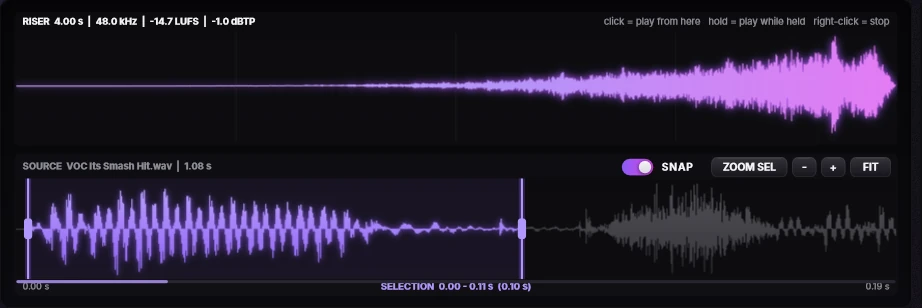
See the riser and its source
The top display shows the finished riser with its length, sample rate and loudness. Under it, the source clip shows which part of your vocal the riser is built from.
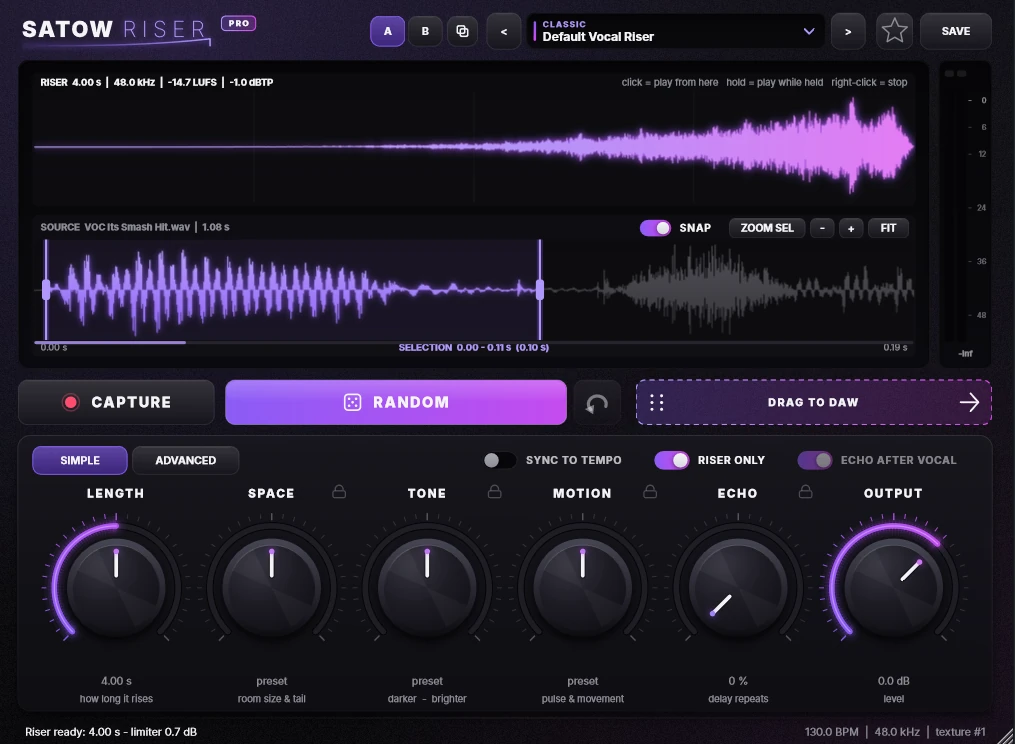
Free vocal reverse reverb and riser plugin.
A free vocal FX plugin for reverse reverb-style effects and atmospheric vocal transitions. VST3 on Windows and Mac, plus AU on Mac.
SATOWRISER is a free vocal FX plugin designed for reverse reverb-style effects and atmospheric vocal transitions.
Create smooth vocal swells and dramatic entrances for Trap, Drill, Hip-Hop, R&B and Afrobeat, and add depth and movement to your vocals.
Windows and macOS installers are included. The Mac version runs natively on Apple Silicon and Intel.
The top display shows the finished riser with its length, sample rate and loudness. Under it, the source clip shows which part of your vocal the riser is built from.
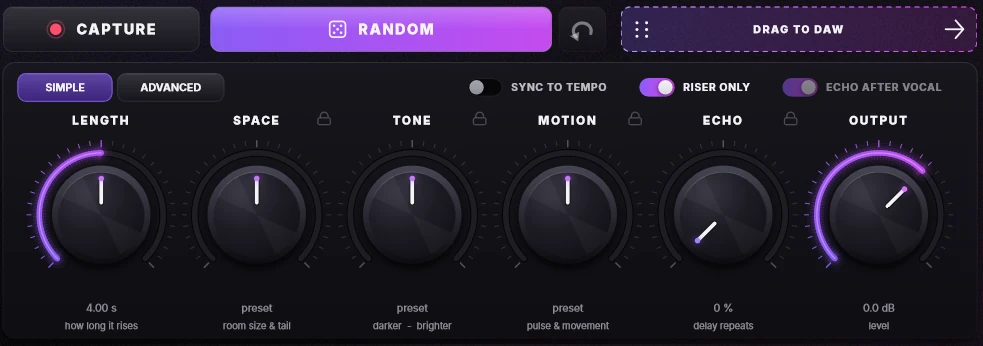
Capture a vocal, try new ideas with Random, shape the result with Length, Space, Tone, Motion and Echo, then drag the riser straight into your DAW.
Compatibility is listed only after it has been tested. If your setup isn't listed, contact support.
Click Free download on this page. It opens the free SATOWRISER listing on the SATOWBEATS BeatStars store, where you can get the installers.
Yes, it's free, and there is no paid or Pro version.
Email contact@satowbeats.com with your operating system, your DAW and a short description of the problem.
Yes. Windows 10/11 (64-bit) and macOS 10.13 or later are supported. The Mac version runs natively on Apple Silicon (M1 to M4) and Intel.
SATOWRISER is used in FL Studio. It is built to load in any 64-bit DAW that supports VST3, or AU on Mac (for example Logic Pro). Pro Tools is not supported because it only loads AAX plugins. If your DAW has a problem, email contact@satowbeats.com.
Look for SATOW RISER by SATOWBEATS in your plugin list.
Yes. The installer isn't code-signed yet, so Windows shows this warning the first time. Click More info, then Run anyway.
The installer isn't notarized by Apple yet. Open System Settings → Privacy & Security, scroll down, and click Open Anyway next to the SATOWRISER installer.
An older SATOW RISER is still loaded. Close FL Studio (or your DAW), end FL64.exe and ilbridge.exe in Task Manager if they're still running, then click Try again. Don't choose Skip, or the old version stays installed.
Drag the bottom-right corner to resize it from 0.8× to 2.2×. Your size is saved with the project.
Windows: Settings → Apps, find SATOWBEATS / SATOW RISER and click Uninstall. Mac: run the Uninstall SATOW RISER.command file included in the Mac download.
For help with SATOWRISER, email contact@satowbeats.com. Include the plugin name, your operating system and your DAW so we can help faster.